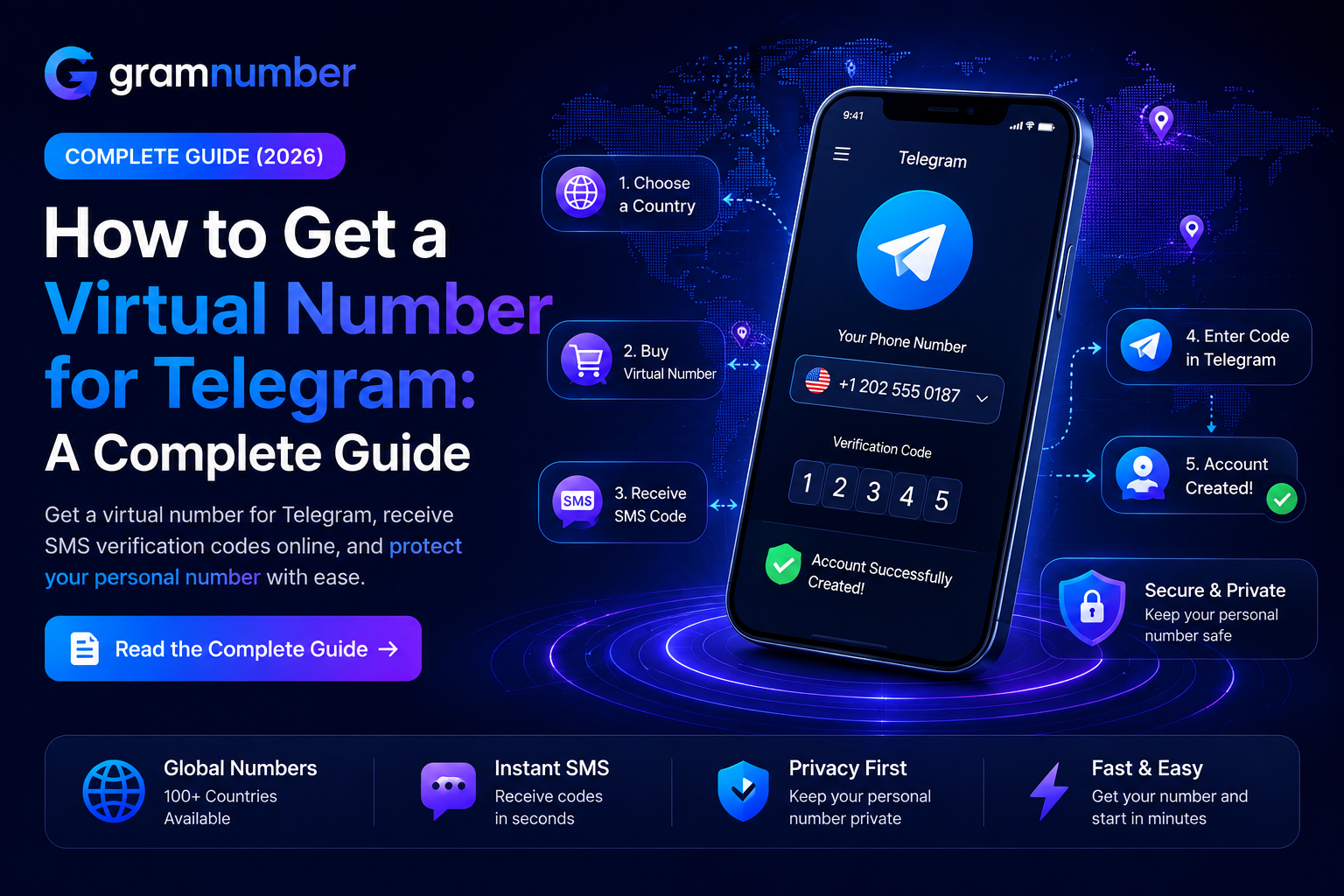
How to Get a Virtual Number for Telegram: A Complete Guide
Published August 25, 2026 11:48 AMT
Editorial Team
Telegram requires a phone number when creating or registering an account. However, not everyone wants to use their personal phone number. A virtual number for Telegram can be a practical alternative for users who want to keep their primary number private while receiving the verification code required during registration.
In this guide, we’ll explain what a Telegram virtual number is, how it works, how to choose a reliable number, and what you should consider before using one.
A virtual number is a phone number that works through an online service rather than a traditional physical SIM card. Depending on the provider, it can receive SMS messages and, in some cases, calls for verification purposes.
For Telegram registration, the main purpose of a virtual number is to receive the Telegram verification code without using your personal mobile number.
Virtual numbers can be useful for:
Keeping your personal phone number private
Creating a separate Telegram account
Managing accounts for business or other projects
Receiving SMS verification codes online
Using a number from another country when appropriate
However, availability and compatibility can vary depending on the country, number type, and Telegram's verification system.
Why Use a Virtual Number for Telegram?
There are several reasons someone may prefer a virtual number instead of their regular phone number.
1. Protect Your Personal Number
Using a separate number can help you avoid sharing your primary phone number when registering a Telegram account.
This can be particularly useful when you want to separate personal communication from business, community management, or other online activities.
2. Create a Separate Telegram Account
If you need another Telegram account for legitimate purposes, a separate phone number may be required.
A virtual number can provide an additional number without requiring another physical SIM card, depending on the service.
3. Receive Verification Codes Online
Many virtual number providers allow you to receive SMS messages through an online dashboard or application.
This means you can access the verification message without having the physical SIM card in your phone.
4. International Number Availability
Some providers offer numbers from multiple countries. This can be useful for users who need a number from a specific region, although Telegram may not accept every virtual number or number range.
How to Get a Virtual Number for Telegram
Getting a virtual number is generally straightforward. The exact process depends on the provider you choose, but the process usually looks like this.
Step 1: Choose a Reliable Virtual Number Provider
Start by selecting a provider that offers numbers suitable for Telegram verification.
Look for important factors such as:
Number availability
Supported countries
SMS reception
Number quality and reputation
Pricing
Replacement or refund policies
Customer support
Account security
Avoid choosing a service solely because it offers the cheapest number. A very cheap number may have already been used repeatedly for account registrations and may not work with Telegram.
Step 2: Select Your Country and Number
After choosing a provider, select the country or region you need.
For example, depending on availability, you may find numbers from countries such as:
United States
United Kingdom
Canada
Germany
France
India
Turkey
Australia
The available countries and numbers can change over time.
Step 3: Purchase the Number
Once you find a suitable number, complete the purchase through the provider.
Make sure the service specifically indicates that the number can receive SMS messages if you need it for Telegram verification.
Step 4: Open Telegram
Install or open the official Telegram application and start the registration process.
Enter the virtual phone number using the correct international format.
For example:
Country Code + Phone Number
Always make sure the country code matches the number you purchased.
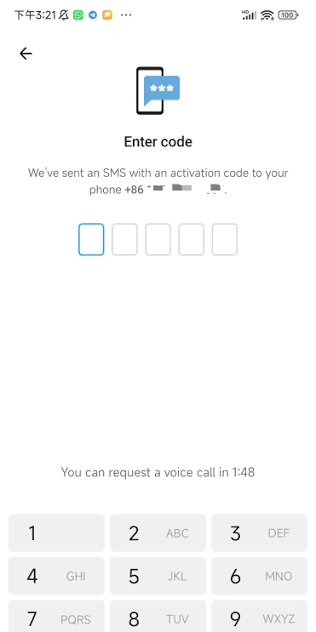
Step 5: Receive the Telegram Verification Code
Telegram will attempt to send a verification code.
Depending on Telegram's verification process, the code may be delivered through SMS or another available Telegram verification method.
If your provider has an SMS inbox, check it for the incoming verification message.
Step 6: Enter the Verification Code
Enter the code into Telegram to complete the verification process.
Once Telegram accepts the code, you can continue setting up your account.
What If the Telegram Verification Code Doesn't Arrive?
Sometimes the verification SMS may not arrive immediately. This does not necessarily mean the number is invalid.
Several factors can cause verification problems.
Check the Number Format
Make sure you entered the complete international number, including the correct country code.
Check Your SMS Inbox
If you purchased the number from an online provider, check its SMS inbox or dashboard for the incoming message.
Wait Before Requesting Another Code
Repeatedly requesting verification codes within a short period can sometimes cause temporary restrictions.
Wait a little before trying again.
Try Another Number
Some virtual numbers may not be accepted by Telegram because of previous usage, carrier restrictions, or Telegram's internal verification policies.
If the number does not work, using another available number may be necessary.
Are Virtual Numbers Safe for Telegram?
The security of a virtual number depends heavily on how the number is provided and managed.
One of the most important factors is number ownership and future access.
If you are creating an important Telegram account, you should consider using a number that you can reliably access for future verification or account recovery.
Avoid using publicly displayed SMS numbers for important personal or business accounts. If multiple people can access the same inbox, the verification code may not remain private.
For sensitive accounts, account security should always be a priority.
Can You Use a Temporary Number for Telegram?
It may be possible to register Telegram using certain temporary or disposable numbers, but there is an important limitation.
If you lose access to the number after registration, you may have difficulty receiving future verification codes.
For this reason, temporary numbers are generally more suitable for short-term or low-risk use cases where long-term access is not important.
For an account you intend to keep for a long time, consider using a number with reliable continued access.
Virtual Number vs. Physical SIM Card for Telegram
Both options can work for Telegram registration, but they have different characteristics.
FeatureVirtual NumberPhysical SIM Physical SIM required | No | Yes Online SMS access | Often available | Usually through mobile network Easy to purchase online | Yes | Depends on country International availability | Often broad | Depends on carrier Long-term access | Depends on provider | Usually more predictable Suitable for account recovery | Depends on service | Generally reliable
The right option depends on how you intend to use your Telegram account.
How to Choose the Best Virtual Number for Telegram
Before purchasing a number, consider these factors:
SMS Support
The number should be capable of receiving the type of verification message you need.
Number Reputation
Numbers that have been repeatedly used for registrations may have a higher chance of encountering verification problems.
Country Availability
Choose a country that matches your requirements and check whether numbers from that region are currently available.
Long-Term Accessibility
If you plan to keep the Telegram account for a long time, consider whether you will still have access to the number later.
Customer Support
A provider with responsive support can be useful if the number does not receive the expected verification message.
Transparent Pricing
Check the actual price before purchasing and understand the provider's replacement, refund, and validity policies.
Can You Change the Phone Number on Telegram Later?
Yes. Telegram provides an option to change the phone number associated with an account.
However, changing your number does not eliminate the importance of maintaining access to your account and understanding Telegram's security requirements.
If you use a virtual number, keep your account credentials and recovery options secure.
Tips for Using a Virtual Number With Telegram
Keep these best practices in mind:
Choose a reputable virtual number provider.
Never share Telegram verification codes with other people.
Avoid publicly accessible SMS inboxes for sensitive accounts.
Keep access to your number when possible.
Use Telegram's available security features.
Enable Two-Step Verification for additional account protection.
Avoid repeatedly requesting verification codes.
Check the provider's replacement and refund policies before purchasing.
Frequently Asked Questions
Can I create a Telegram account with a virtual number?
In many cases, yes. However, Telegram may not accept every virtual number. Compatibility can depend on the number, carrier, country, and Telegram's verification policies.
Can I receive a Telegram verification code online?
Yes, if the virtual number you use supports receiving SMS messages and Telegram sends the verification code through SMS.
Is a virtual number better than a SIM card for Telegram?
It depends on your needs. A virtual number can be more convenient and can help separate your personal number from your Telegram account, while a physical SIM may provide more predictable long-term access.
Can I use the same virtual number for multiple Telegram accounts?
Telegram's account and phone-number requirements apply to each account. Whether a number can be reused depends on Telegram's current policies and the number's previous usage.
What should I do if Telegram doesn't accept my virtual number?
First, verify that the number is entered correctly and that it can receive SMS messages. If the problem continues, you may need to use another number.
Final Thoughts
A virtual number for Telegram can be a convenient option for users who want to register an account without using their primary phone number. It can provide flexibility, online SMS access, and access to numbers from different countries.
However, not all virtual numbers are equal. Before purchasing one, consider its reliability, SMS availability, previous usage, long-term accessibility, and the provider's support and policies.
If you need a virtual number for Telegram, choosing a provider that clearly shows available countries, number types, pricing, and SMS availability can make the registration process much easier.

 Channel